
Turn "Did I Charge for That?" into Paid

Tyler Slove
December 2025
Turn "Did I Charge for That?" into "Paid"
Your Sunday Nights Should be for Relaxing, Not Invoicing
We’ve all been there. It’s the end of the month. You’ve just finished a long week of training, teaching, and managing the barn. You want to relax, but instead, you’re sitting at the kitchen table with a stack of crumpled notes, checking your text messages, trying to remember: “Did I charge the Wilson family for that extra lesson on Tuesday? Did I bill for the show prep?”
We built the Questri Barn Board to get rid of your messy whiteboard. Now, we’re doing the same thing for your finances. Here is the recipe for the "5-Minute Month-End" using Questri’s Invoicing feature.
Step 1: Let the work do the math for you
The magic of Questri is that you don’t actually "create" a bill at the end of the month. You create it while you work.
You can configure your Questri settings so that specific tasks automatically spawn a billable item the moment you mark them as complete.
Teach a lesson? Mark it Done. (Questri adds the fee to the client's queue).
Complete a training ride? Mark it Done. (Questri adds the fee).
It sits there, waiting for you. No double entry, no lost sticky notes.
Step 2: The "Magic Button" (Consolidate & Group)
When it’s time to send bills, you don't need a calculator. You just go to Horse Billing > Customer Invoices and click + Invoice.
This is the coolest part: Questri looks at your unbilled items and presents them to you in a neat list.
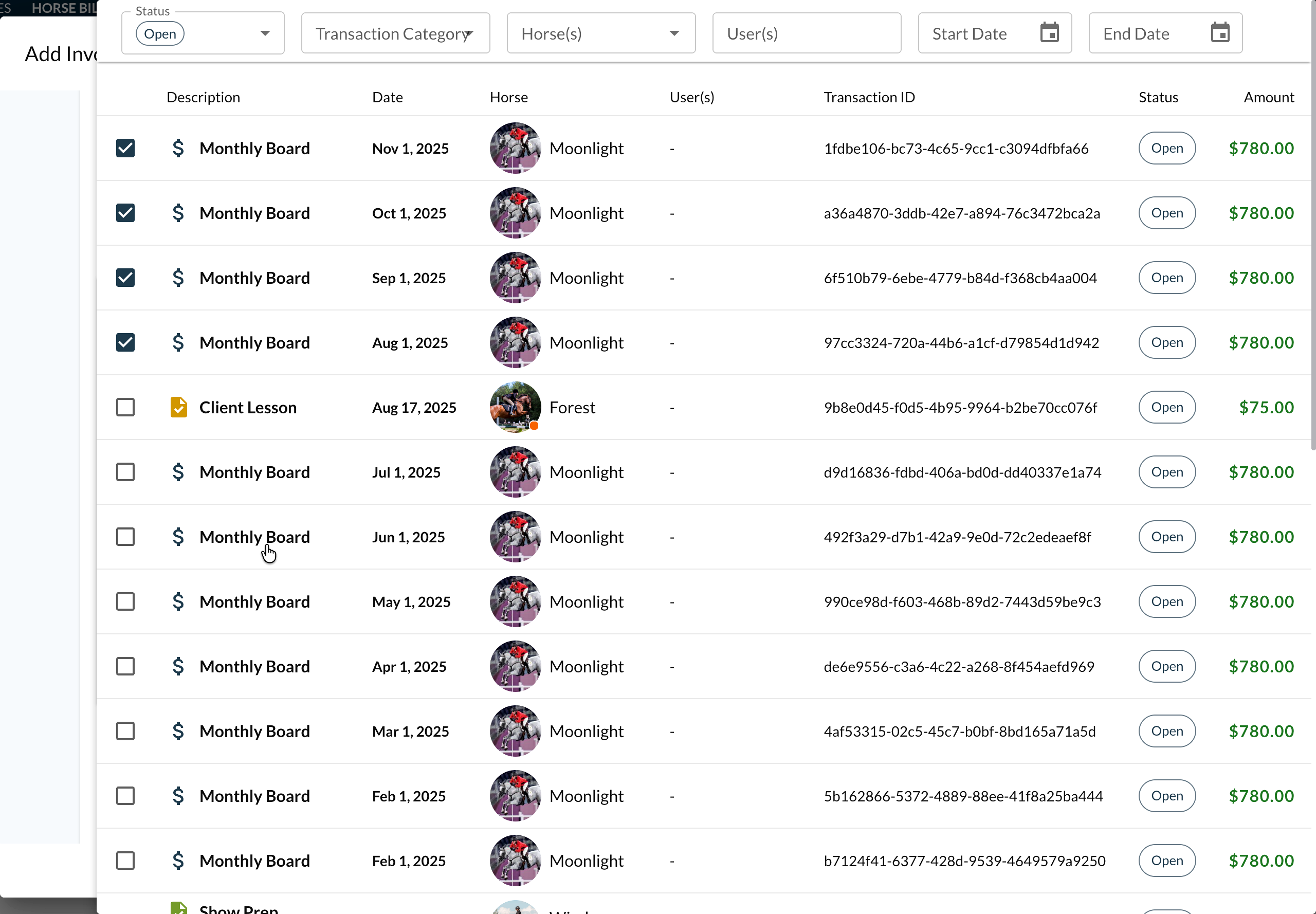 Above: Just check the boxes. Questri pulls in every unbilled item—from Boarding to Lessons—so you can group them into a single invoice.
You can select everything for a specific horse or owner in one click. Did "Moonlight" have 4 training rides and a shoeing fee? Check, check, check. Questri groups them together into one clean package.
Step 3: Send a Professional Notification
Texting a client "Hey, you owe me $500 for the month" works, but it can feel informal and messy to track.
When you hit save in Questri, you generate a professional invoice record. You can email this directly to your client right from the platform. They receive a clean, branded email that looks like this:
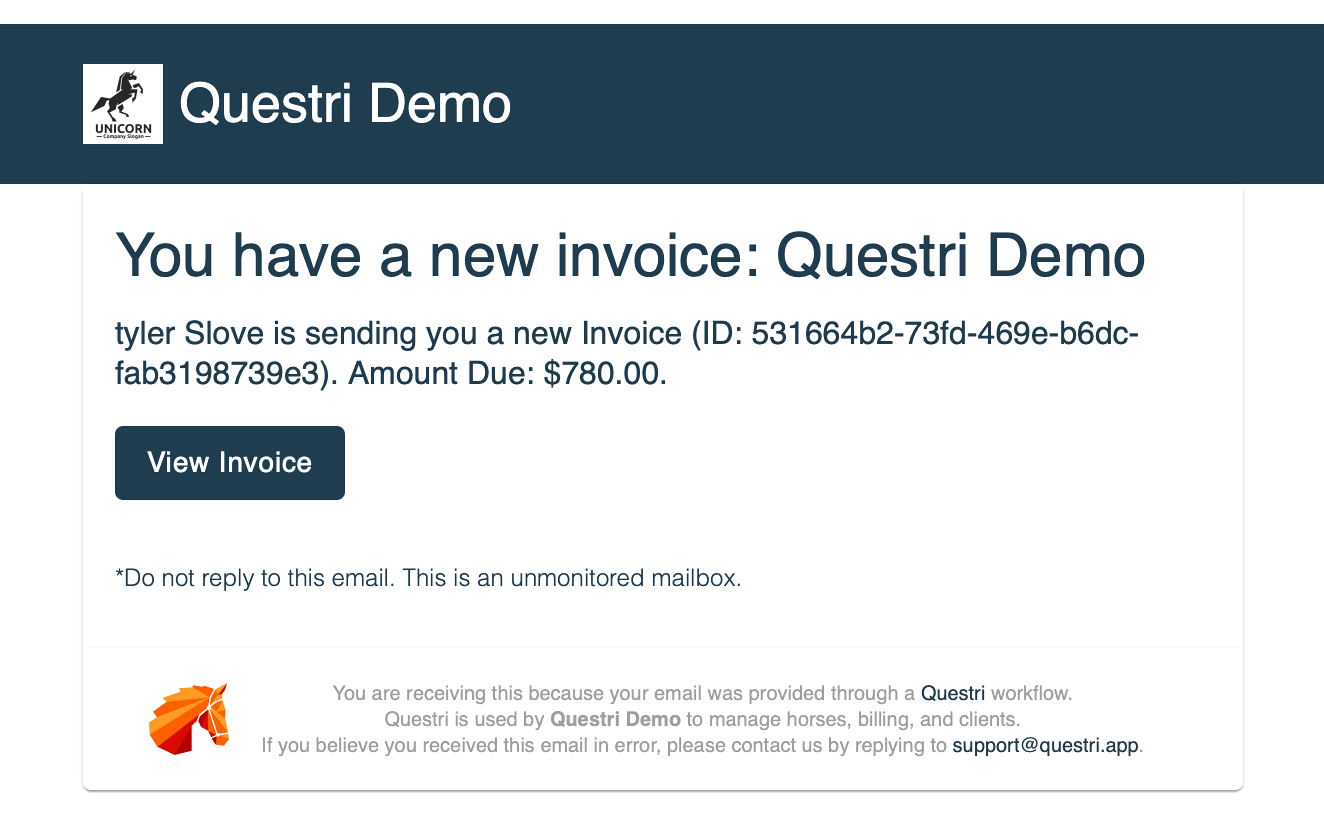
It establishes trust. It shows your clients exactly what they are paying for, line-by-line, without you having to type it all out manually.
Step 4: Close the Loop (Get Paid Faster)
The worst part of manual billing isn't sending the bill; it's remembering who paid it.
Questri integrates directly with Stripe, allowing you to accept credit cards, bank transfers, and Apple Pay. Setting this up is available to all users and takes just a few minutes.
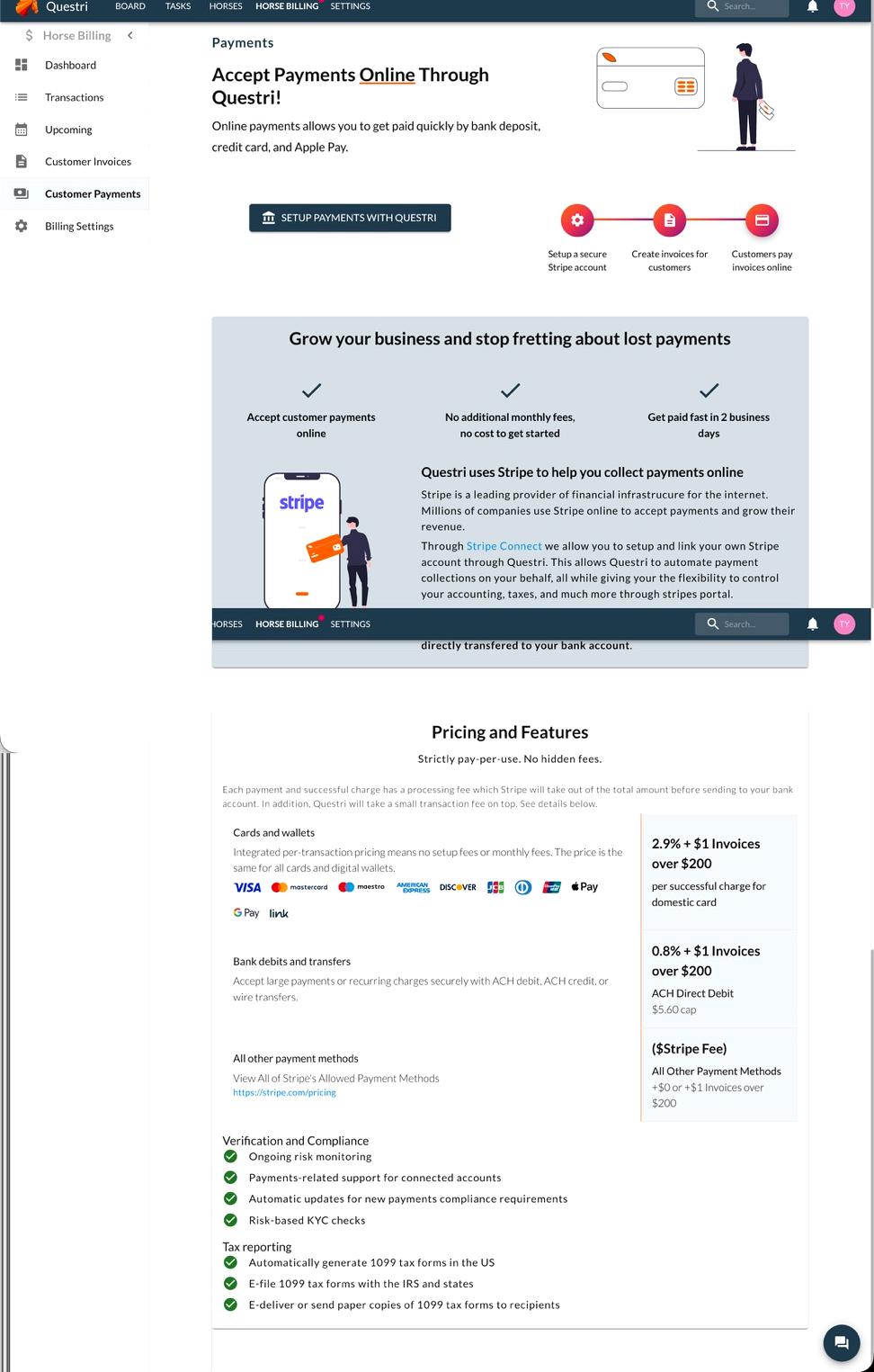
When your client pays the digital invoice, two things happen automatically:
The money is routed to your account.
Questri marks the invoice AND the individual tasks as "Paid."
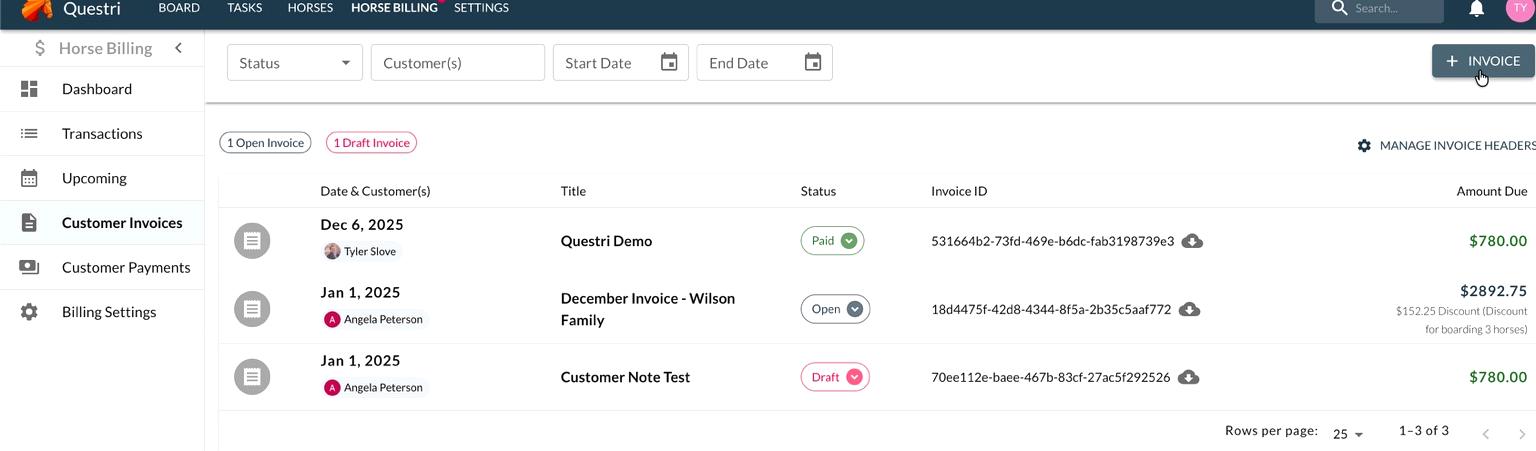
You can see at a glance who has paid (Green) and who is still Open. Your financial records stay perfectly synced with your daily barn records—automatically.
Summary
You didn't get into this business to be an accountant.
Do the work (Mark your tasks as done).
Group the items (Click "+ Invoice").
Get Paid (Let Stripe and Questri handle the status updates).
Tyler Slove
December 2025
